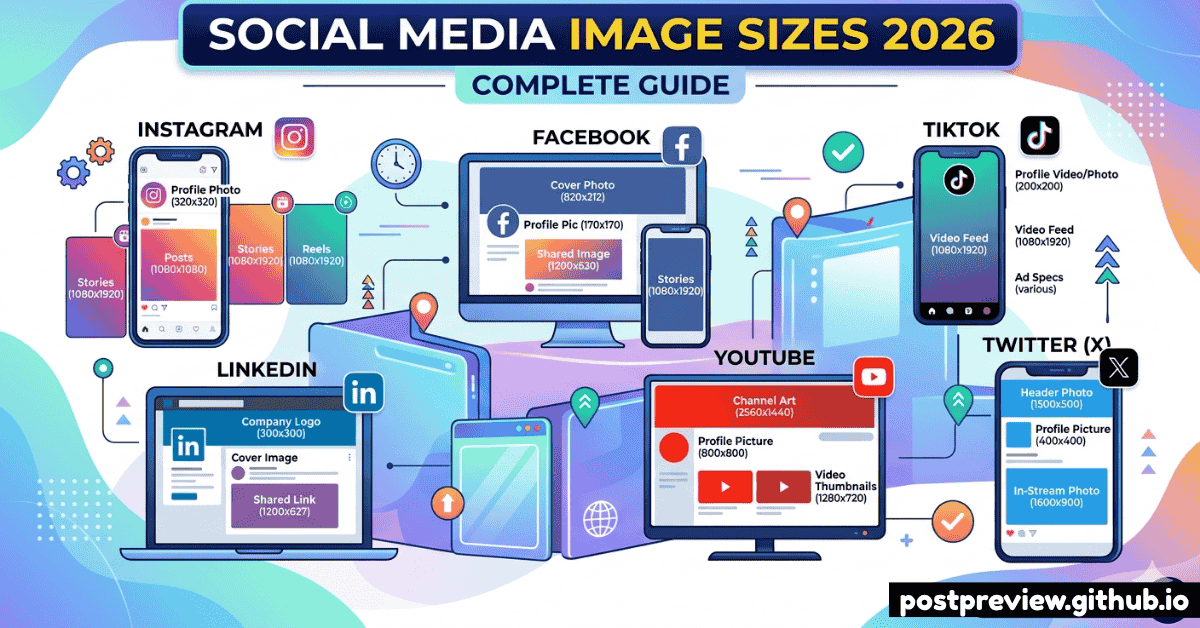
Why Image Dimensions Matter
Uploading the wrong image size is one of the most common social media mistakes. Platforms crop, stretch, or compress images that don't match their requirements — making your carefully designed visuals look broken, pixelated, or off-centre.
Using the correct dimensions ensures your images display perfectly on all devices, get maximum engagement, and never get auto-cropped in an embarrassing way.
💡 Universal Best Practice
Always design at 2× the minimum required dimensions for crisp display on Retina and high-DPI screens. Save as PNG for graphics and text, JPG for photos. Keep file sizes under 5MB for fastest loading.
Instagram Image Sizes
Instagram
Profile Photo
320×320px
Displayed at 110×110px
Square Post
1080×1080px
1:1 ratio
Portrait Post
1080×1350px
4:5 ratio
Landscape Post
1080×566px
1.91:1 ratio
Story / Reel
1080×1920px
9:16 ratio
Reels Cover
1080×1920px
9:16 ratio
Carousel
1080×1080px
Each slide: 1:1
Ad (Feed)
1080×1080px
1:1 recommended
Facebook Image Sizes
Facebook
Profile Photo
170×170px
Minimum recommended
Cover Photo
851×315px
Mobile: 640×360px
Feed Post (Square)
1200×1200px
1:1 ratio
Feed Post (Landscape)
1200×630px
1.91:1 ratio
Story
1080×1920px
9:16 ratio
Event Cover
1920×1005px
~2:1 ratio
Group Cover
1640×856px
~1.91:1 ratio
Link Preview
1200×630px
Minimum: 600×315px
Twitter / X Image Sizes
Twitter / X
Profile Photo
400×400px
Displayed as circle
Header / Banner
1500×500px
3:1 ratio
In-stream Photo
1600×900px
16:9 recommended
Card Image
800×418px
1.91:1 ratio
Ad (Promoted)
1200×675px
16:9 ratio
LinkedIn Image Sizes
LinkedIn
Profile Photo
400×400px
Minimum: 200×200px
Background Banner
1584×396px
4:1 ratio
Feed Post Image
1200×628px
1.91:1 ratio
Company Logo
300×300px
1:1 square
Company Cover
1128×191px
~6:1 ratio
Story
1080×1920px
9:16 ratio
YouTube & TikTok Image Sizes
YouTube
Profile Photo
800×800px
Displayed as circle
Channel Art / Banner
2560×1440px
Safe area: 1546×423px
Video Thumbnail
1280×720px
16:9 minimum
Shorts Thumbnail
1080×1920px
9:16 ratio
Community Post
1920×1080px
16:9 ratio
TikTok
Profile Photo
200×200px
Displayed as circle
Video (Portrait)
1080×1920px
9:16 ratio
Video (Landscape)
1920×1080px
16:9 ratio
Video (Square)
1080×1080px
1:1 ratio
Ad Image
1200×628px
1.91:1 ratio
Image Design Tips for Social Media
Design at 2× resolution
Always design at double the display size for crisp Retina screens. A 1080px Instagram post should be designed at 2160px and then exported at 1080px.
Keep file sizes under 5MB
Large files load slowly and may get further compressed by platforms. Use tools like TinyPNG or Squoosh to optimise without visible quality loss.
Use sRGB colour space
Always export in sRGB colour space. CMYK files will look washed out on social media. Set this in Photoshop, Canva, or Figma before exporting.
Design with safe zones in mind
Profile photos and cover images have different display areas on mobile vs desktop. Keep important content in the central 80% of your design.
Create portrait-first for Stories
9:16 (1080×1920px) is the universal Stories format. Design for this first, then crop to square or landscape for feed posts — not the other way around.
Preview before uploading
Use PostPreview to see exactly how your image will look in the feed before publishing. Catch cropping issues before your followers do.
🖼️
See How Your Images Look Before Posting
Preview your images in realistic platform mockups. Never guess how your photo will be cropped again.
Try PostPreview Free →