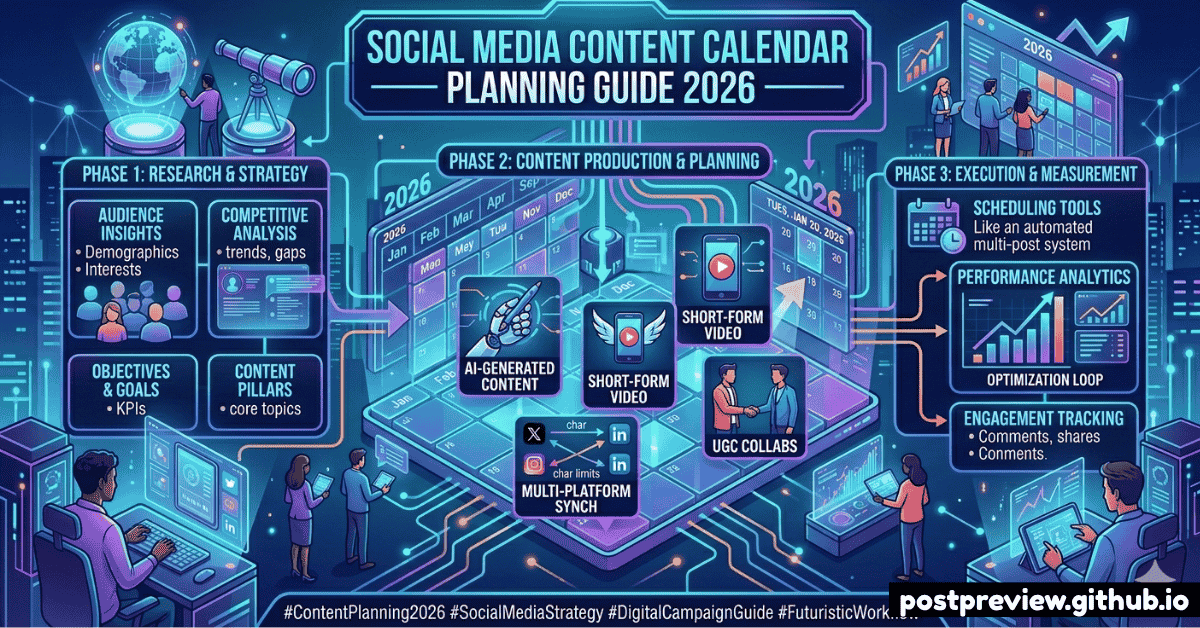
Why You Need a Content Calendar
The accounts that grow fastest on social media aren't the ones that post the most — they're the ones that post most consistently. A content calendar is the single biggest difference between brands that struggle to maintain a presence and those that build momentum.
Without a plan, you'll always be reacting — scrambling to post something, anything, just to stay visible. With a content calendar, you're proactive: content is planned, created, reviewed, and scheduled in batches, freeing up time to focus on engagement and strategy.
📊 The Numbers
Brands that plan content in advance see 40% higher engagement rates and are 3× more likely to report social media ROI than those that post reactively. Consistency also signals credibility to your audience.
How to Build Your Content Calendar in 6 Steps
1
Audit your current content performance
Before planning new content, understand what's already working. Pull your last 30–90 days of analytics. Which posts got the most reach, saves, and link clicks? Build more of what works.
2
Define your content pillars (3–5 themes)
Content pillars are the recurring topics that define your brand. Example for a fitness brand: Training Tips, Nutrition, Client Transformations, Behind the Scenes, and Motivational. Every post should fit into one pillar.
3
Choose your posting frequency per platform
See the frequency table below. Start conservative — it's better to post 3× per week consistently than to burn out after two weeks of daily posting. You can always scale up once the habit is established.
4
Plan content in 4-week batches
Sit down once a month and map out an entire month of content. Assign each post slot to a pillar, format, and platform. Leave 15–20% of slots open for reactive, trending content.
5
Create content in batches
Batch-creating is dramatically more efficient than creating one post at a time. Dedicate one day per week to creating 5–7 pieces of content. Write all captions in one session, shoot all photos in one session.
6
Schedule, preview, and publish
Use scheduling tools to queue posts in advance. Always preview how each post will look before scheduling. Use PostPreview to check how your content appears in real platform mockups.
Recommended Posting Frequency in 2026
How often should you post? Here are the current best-practice recommendations by platform, based on what's working for growing accounts in 2026:
| Platform | Minimum | Ideal | Maximum | Best Days |
|---|
| 📸 Instagram Feed | 3×/week | 4–5×/week | 1×/day | Mon, Wed, Fri |
| 📸 Instagram Reels | 3×/week | 5–7×/week | 2×/day | Tue, Thu, Sat |
| 📘 Facebook | 3×/week | 5×/week | 2×/day | Wed, Fri |
| 💼 LinkedIn | 2×/week | 3–5×/week | 1×/day | Tue, Wed, Thu |
| 𝕏 Twitter / X | 3×/day | 5–10×/day | 20×/day | Weekdays |
| 🎵 TikTok | 3×/week | 1–3×/day | 3×/day | Fri, Sat, Sun |
| ▶️ YouTube | 1×/week | 2–3×/week | 1×/day | Sat, Sun |
| 📌 Pinterest | 5×/week | 10–15×/week | 25×/day | Sat, Sun |
The Content Mix: What to Post
A healthy content calendar isn't all promotional content. The most effective accounts follow a strategic content mix that balances value, trust-building, and conversion:
40%
Educational Content
Tips, tutorials, how-tos, and expert insights. Builds trust and authority.
25%
Entertainment
Relatable content, behind-the-scenes, trends. Builds connection and reach.
20%
Inspirational
Case studies, testimonials, transformation stories. Drives saves and shares.
15%
Promotional
Product launches, offers, and direct CTAs. Keep this to 15% max to avoid fatigue.
Sample Weekly Calendar
Here's what a well-structured week looks like for a brand active on Instagram, LinkedIn, and TikTok:
1
📸 IG Carousel: Tips post
💼 LI Text: Industry insight
2
🎵 TikTok: Tutorial video
3
📸 IG Reel: Behind scenes
💼 LI Document post
4
🎵 TikTok: Trending audio
5
📸 IG Post: Product/offer
💼 LI: Poll/question
6
🎵 TikTok: Repost top content
📊
Google Sheets / Notion
Free and flexible. Build your own calendar with custom columns for platform, format, pillar, status, and scheduled date. Easy to share with a team.
📱
Buffer / Hootsuite
Dedicated social media scheduling tools with calendar views. Connect all platforms, schedule posts, and track performance from one dashboard.
🎨
Canva Content Planner
Create visuals and schedule posts directly from Canva. Great for small teams that design and plan in the same tool.
🤖
Later / Sprout Social
Visual-first scheduling tools with drag-and-drop calendars. Later's "Best Time to Post" feature is particularly useful for Instagram and TikTok.
📅
Preview Before You Schedule
Add PostPreview to your content workflow. See exactly how each scheduled post will look before it goes live.
Try PostPreview Free →