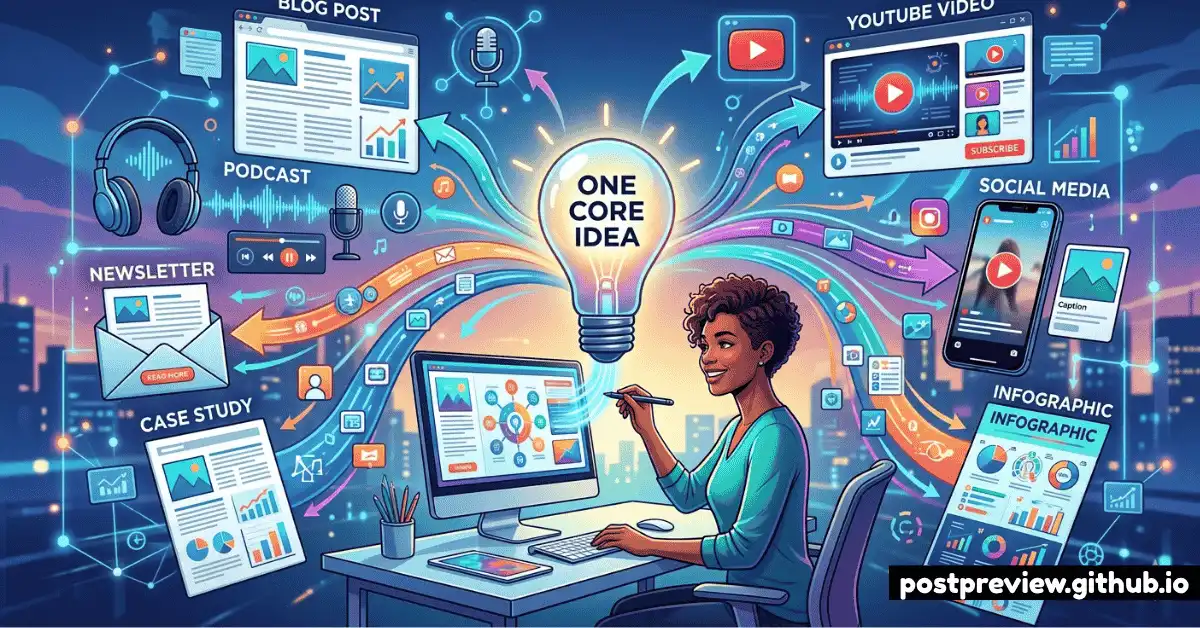
The most successful content creators in 2026 aren't creating more — they're creating smarter. While most people grind out fresh content for every platform, the top 10% of creators are running a fundamentally different playbook: one core idea, transformed into a dozen platform-native pieces. This is cross-platform content repurposing done right.
The catch is that repurposing done poorly is just copying and pasting — the fastest way to get punished by algorithms and ignored by audiences. This guide shows you how to do it properly, and how to use smart previewing to make sure every repurposed piece looks native before it publishes.
Why Repurposing Works (and When It Doesn't)
Different audiences live on different platforms, and most of them will never see the same piece of content twice. That LinkedIn post you spent two hours crafting? Your TikTok followers probably never saw it. Your newsletter subscribers almost certainly didn't. Repurposing closes that gap — taking your best thinking and making it accessible in the formats each audience prefers.
It doesn't work when you simply copy a caption from Instagram and paste it on LinkedIn. Each platform has a distinct culture, algorithm, and audience expectation. Instagram captions live and die on the hook. LinkedIn rewards personal narrative. TikTok is about authenticity and immediacy. X wants punchy, opinionated brevity. A post that ignores these differences will underperform regardless of how strong the underlying idea is.
Repurpose the idea, not the text. Every platform version should feel like it was written for that platform — because, for the purposes of your audience there, it was. The time investment is lower than creating from scratch, but the adaptation work is real.
The Content Multiplication Map
Here's what a single well-developed idea can realistically produce across platforms. This isn't theoretical — it's the actual output model used by full-time creators and lean content teams in 2026.
The Step-by-Step Repurposing Workflow
The key to making this scalable is a consistent production process. Here's the workflow that high-output creators use to go from one core idea to full platform coverage without burning out.
Platform-Specific Adaptation Rules
Each platform has specific formatting requirements that make or break repurposed content. Here's what to adapt — and what to verify in PostPreview — for each major platform:
AI Tools That Make Repurposing Faster
Manual repurposing is time-consuming. These AI tools reduce the workload significantly — though none of them replace the human editing step that makes content feel native to each platform.
- Opus Clip — Analyzes long-form video and automatically extracts the highest-engagement moments as short clips. Best for YouTube-to-Shorts/Reels/TikTok conversion.
- Descript — Transcribes video content and lets you edit by editing text, then export platform-specific cuts. Also generates captions from transcripts.
- Repurpose.io — Automatically converts video to audio and vice versa, republishes across connected platforms. Best for high-volume repurposing with consistent formats.
- Claude or ChatGPT — Give it your pillar content and a platform prompt ("adapt this for a LinkedIn personal post, 200 words, first-person, lead with the key lesson"). Review and edit every output.
- Canva Magic Studio — Converts blog text into carousel slide designs with brand colors automatically. Dramatically reduces carousel creation time.
After generating your AI-repurposed captions and resizing your visuals, run every version through PostPreview before scheduling. Repurposed content is especially vulnerable to rendering issues because the same base content is being forced into different format containers. A quick preview catches 90% of formatting problems before they go live.
Common Repurposing Mistakes to Avoid
Repurposing done wrong creates more problems than creating fresh content. Here are the mistakes that most commonly undermine cross-platform strategies:
- Same caption, all platforms. This is the single biggest mistake. It signals lazy content to both algorithms and audiences. Always rewrite for each platform's voice.
- Wrong aspect ratio. An image formatted for Instagram's 4:5 portrait looks terrible cropped to LinkedIn's 1.91:1 landscape. Each platform needs its own visual.
- Publishing everything the same day. Platform algorithms deprioritize accounts that flood their feed. Space out your repurposed pieces over days, not hours.
- Skipping the preview check. Long captions get truncated. Images get cropped. Links render oddly. Always preview in PostPreview before publishing — especially when adapting from one platform to another.
- Repurposing low-performing content. If a piece didn't resonate on its original platform, repurposing it won't fix the underlying problem. Only repurpose content that has demonstrated engagement or that you know to be highly valuable.
For a deeper look at how analytics can help you identify which content is worth repurposing, read our companion guide: AI-Driven Analytics for Social Media. And if you're expanding to newer platforms, our Personal Brand Guide for 2026 covers TikTok, Bluesky, and Threads in detail.